Tired of generic video caption designs everywhere?
Here's your way out.
Your captions deserve some bad influence.
Feed them to the Goblin and start making questionable visual decisions.
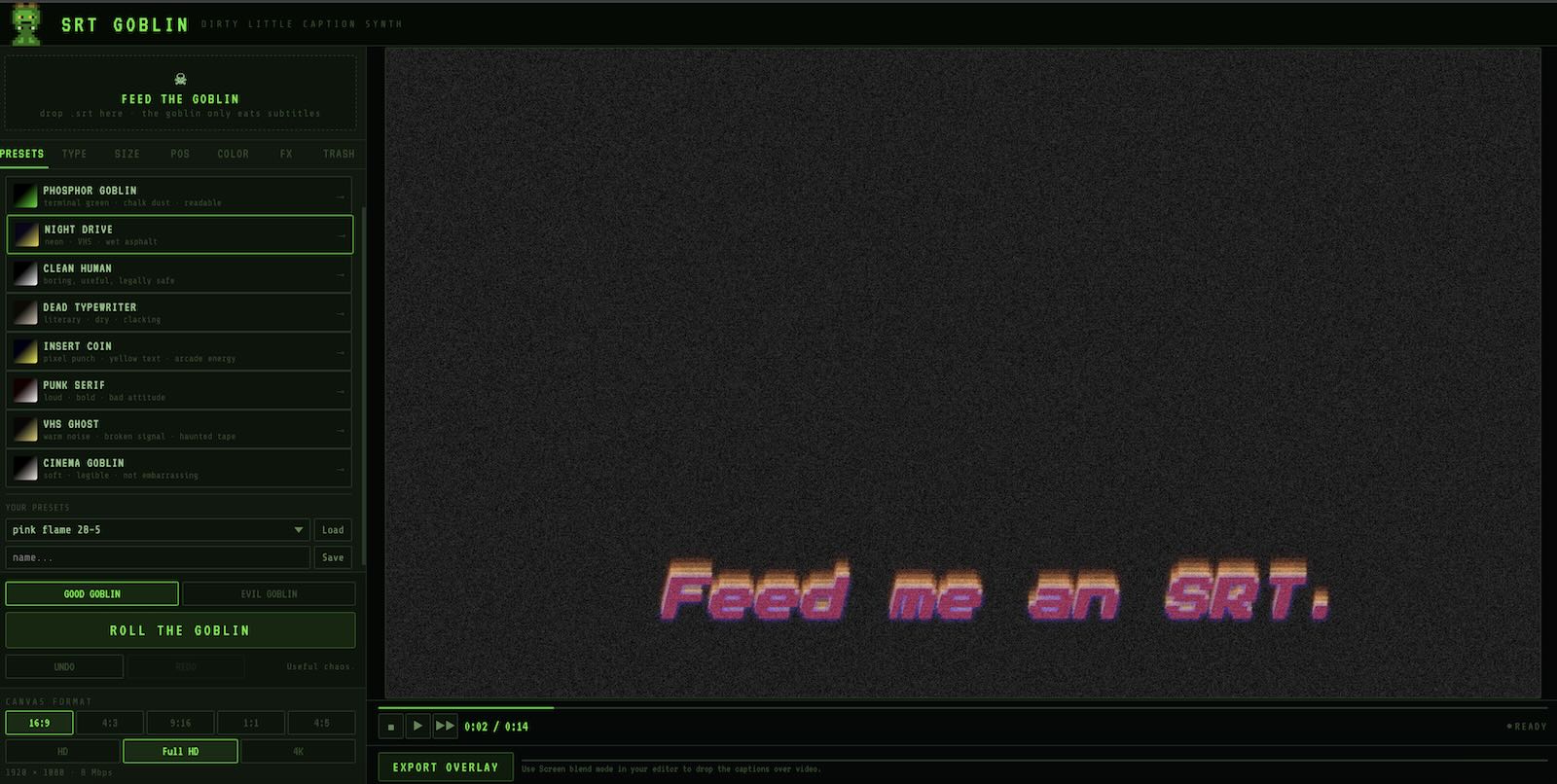
Turn clean captions into moving little incidents.
Start with a normal subtitle file. End with a styled caption overlay that actually belongs in your edit.
Feed. Twist. Export.
Three steps. One SRT. Whatever captions you'd actually want to use.
Drop in your subtitle file. Make it anywhere you want — Captions, CapCut, Premiere, DaVinci, Final Cut, a transcript tool, whatever. The Goblin only needs the SRT.
Start with Goblin presets, start fresh, or hit ROLL THE GOBLIN and let the randomizer make the first bad decision. Good and Evil modes included. TRASH drawer included for people who should know better.
Download an MP4 caption layer, place it above your video, set blend mode to Screen, and keep torturing it in your timeline. We don't judge.
For captions that put a smile on your face.
Built for the moment when you realize you can't use the same styles that everybody else is using.
Modern caption tools are fast, useful, and often painfully predictable. Great for speed. Not always great for taste.
Excellent software. Wrong size hammer when you just want your subtitles to stop looking dead.
Not every tiny creative tool needs a monthly plan, a dashboard, and a growth funnel.
You can keep your existing workflow. Make subtitles wherever you like. Like you did till now. Then feed the SRT to the Goblin.
Presets first. Knobs second. Existential crisis optional.
The web app has a very small footprint. You upload almost nothing. We keep nothing. The dirty magic happens inside your browser.
TINY TOOL. NASTY RESULTS.
Runs light, hits weird.
Starting points that won't embarrass you in a client edit.
For when you've made peace with your choices.
Let the randomizer make the first bad decision for you. Good mode or let Evil mode include the dangerous toys.
Signal rot, text quake, acid rainbow, strobe glow, hellfire and other bad ideas. Each effect has its own parameter knobs.
Choose from 16 fonts, set size, line height, alignment and position. Dial in colors for text, glow and background. Adjust animation style and speed. Or let the Goblin decide.
Pick the aspect ratio that matches your project. Set resolution from HD to 4K. Drag the caption to any position on the canvas with a visual positioning pad.
No install. No server upload. Just your browser doing goblin work. Your SRT stays on your machine.
MP4 on black background, built for Screen blend mode. Drop it above your video. Black disappears. Captions stay.
Your subtitles stay out of the cloud swamp.
SRT Goblin runs in your browser. Your .srt file is processed locally. No project dashboard, no cloud library, no data ritual.
- No video upload
- No subtitle upload to any server
- No account circus
- No subscription trap
- Just your browser. Just the Goblin. Just your file.
Buy once. Feed forever.
You have two options.
For people who brew cheap coffee at home and cook their lunches.
CHEAP COFFEE GOBLINFor people who occasionally buy suspiciously expensive coffee. Here's your avocado goblin toast with washed Guatemala batch brew. Thanks.
FANCY COFFEE GOBLINNo subscription. No fake free tier. No pro creator growth dashboard.
It works with every video editor.
Export your overlay, place it above your video, set blend mode to Screen. Black disappears. Captions stay.
Questions for the Goblin.
Copy this prompt and paste it into ChatGPT, Claude, Gemini, or any other AI assistant. It gives them enough context about SRT Goblin to actually help — not just guess.